


I went live yesterday to talk about RAG and why it sits underneath every enterprise AI tool worth using. The session covered what RAG is, why operators and senior managers need to understand it, and how to manage one as it rolls out across a company.
RAG stands for retrieval-augmented generation. It’s a way to build AI systems that can answer questions using your own documents rather than guessing from general training data. When you ask a RAG system a question, it searches your documents, finds relevant pieces, and writes an answer based on what it finds. Every internal AI assistant your company is piloting right now uses some version of this.
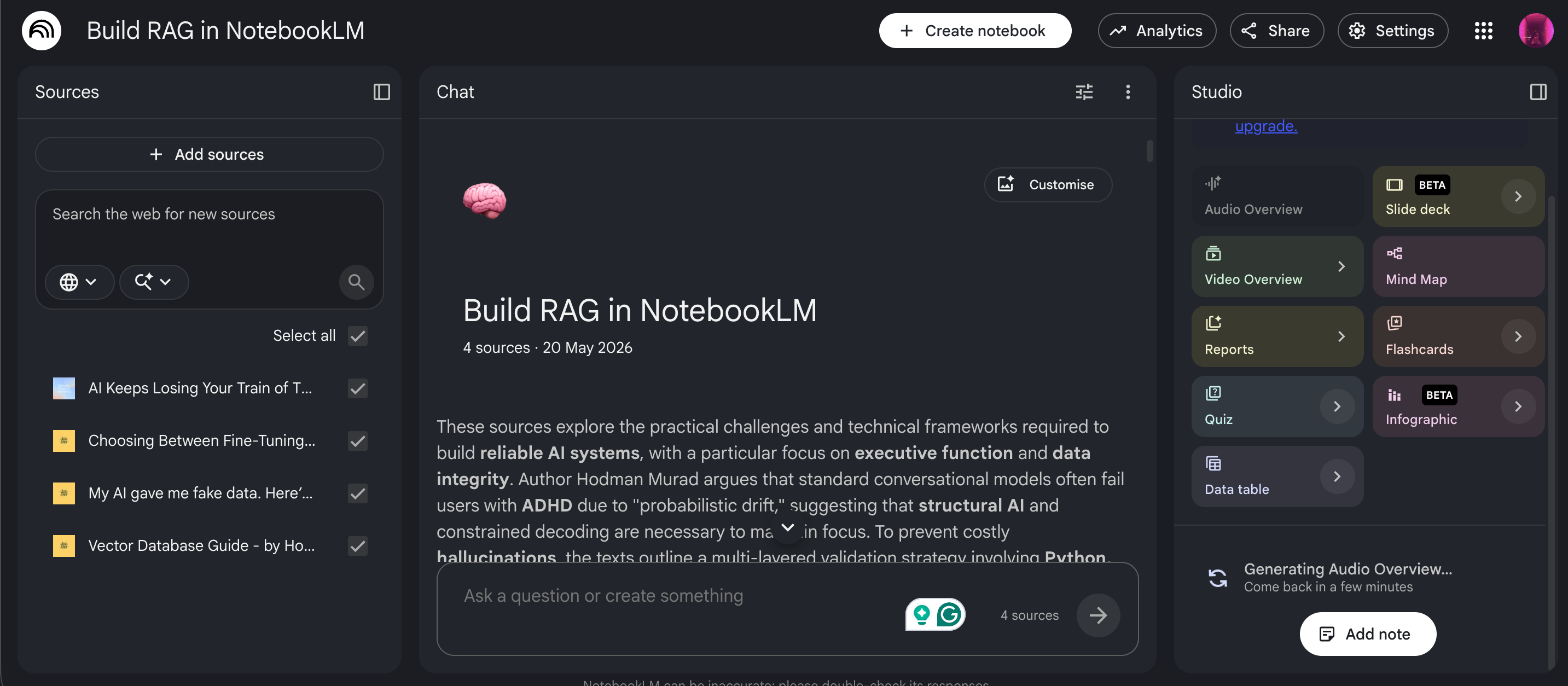
Today, you’re going to build a RAG system on your own documents in under an hour. You’ll do it in Google’s NotebookLM, a polished interface built on top of the same retrieval-and-generation architecture your company is paying engineers to build. By the time you finish, you’ll have a working private RAG running on your laptop, and you’ll know roughly ten engineering terms well enough to use them in a conversation.
What You’ll Have at the End
A working RAG system reading from a folder of your own documents, returning answers with citations to the source files, running in your browser, free.
You’ll also have the vocabulary to walk into your next engineering meeting and say things like ‘what’s our chunking strategy?’ or ‘how are we handling grounding at the retrieval layer?’ and sound like someone who’s done the work.
What You Need Before You Start
A Google account. NotebookLM is free with any Google account, and it doesn’t require Workspace.
A folder of documents you’re allowed to upload. PDFs, Word docs, Google Docs, plain text, web URLs, and YouTube transcripts all work. For this build, I’d suggest using your own writing or a project’s documentation. Don’t use your company’s confidential materials in a personal Google account. That’s a violation of every company AI policy I’ve ever read, and the point of this build is learning, not getting yourself in trouble.
For this build, I used three articles from TDL and one from my other publication, Between Thinking and Doing (BTD).
The TDL pieces:
Choosing Between Fine-Tuning, RAG, and Prompt Engineering: A $10K Decision Guide
My AI gave me fake data. Here’s how to catch it if it happens to you.
From BTD:
It’s important for three of these articles to operate within the same domain so that synthesis questions have relevant material to work with. The BTD piece is unique, allowing retrieval to select from multiple sources rather than choosing any one. You can do the same with any documents you own or have permission to upload.
It takes about twenty minutes, but you can finish faster if you move through the steps quickly.
Step 1: Open NotebookLM and Create Your First Notebook
Go to notebooklm.google.com. Sign in with your Google account.
Click ‘Create new notebook.’
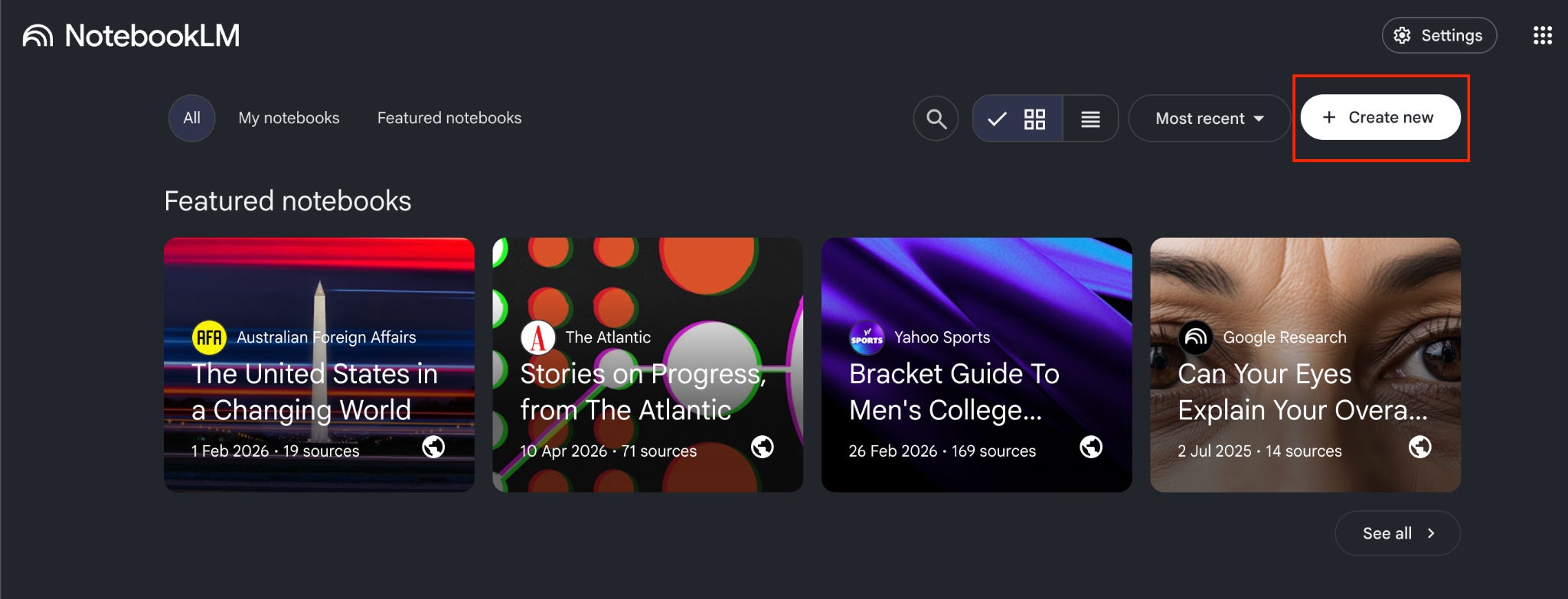
What just happened, in operator terms. What you just did was initialize an empty RAG. There’s a structure waiting for documents, but no documents are in it yet. In engineering terms, you’ve created an empty vector store. A vector store is an indexed library where your documents are stored in a format that the AI can search. NotebookLM uses Google’s own vector store behind the scenes, so you don’t pick one or configure it. At your company, engineering will pick one (you’ll hear names like Pinecone, Weaviate, or Chroma), and that choice affects cost, speed, and the country where your data is stored.
That's the vocabulary from Step 1. Below the paywall, I'll walk you through seven more steps that get you to a working RAG running on your own documents. You'll learn how to ingest sources, watch chunking and embedding happen, run the three stress tests that show what your RAG can and can't do, and walk away with the ten engineering terms you'll need to lead any AI conversation at your company.